
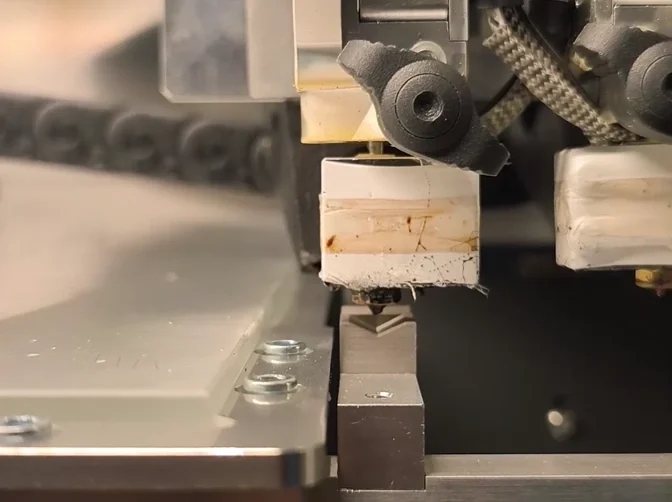
Automatic dual extruder calibration helps industrial teams prepare two nozzles for a shared build without repeatedly printing alignment patterns and entering offsets by hand. The Omni TECH+ combines its Automatic Dual Calibration XY Prism system with an actively heated chamber, industrial motion components and an open material platform to reduce preparation work and support repeatable production.
For production managers, the benefit extends beyond nozzle alignment. Shorter setup, accessible wear components and material sourcing flexibility all influence how much productive time a printer contributes to the factory floor.
Why nozzle alignment matters in industrial dual extrusion
In dual-material printing, both nozzles must place material within the same coordinate system. The printer needs to account for the physical distance between their tips so that the build material and support material meet where the sliced geometry requires them to.
A mismatch can shift support interfaces, affect the fit between printed regions and create defects at material transitions. Manual calibration adds operator tasks: producing a test pattern, inspecting the result, choosing a correction and entering the offset. Repeating this process after relevant hardware or temperature changes adds preparation time across successive jobs.
The Omni TECH+ industrial 3D printer addresses this workflow with an automated reference sequence. Instead of relying on visual interpretation of printed lines, the system uses the prism to establish the relative XY positions of the nozzles.
How Omni TECH+ dual extruder calibration works
The Automatic Dual Calibration XY Prism system brings the nozzles to a fixed reference, determines their relative position and updates the offsets used during printing. The workflow has three stages.
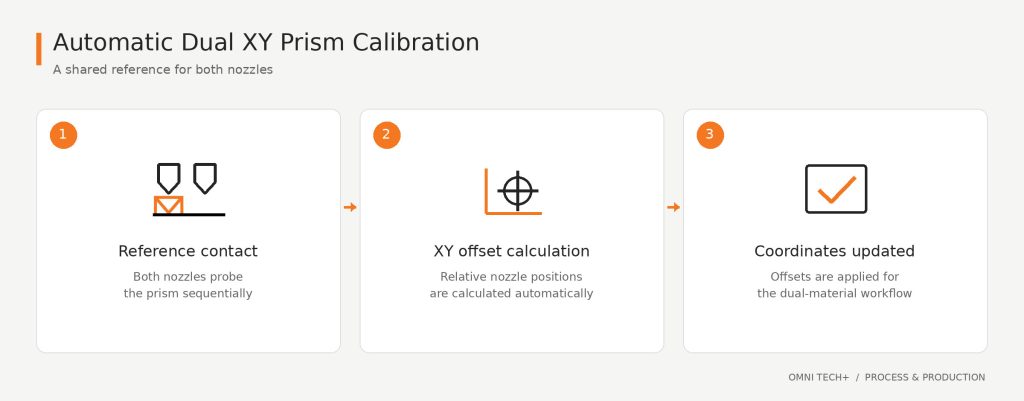
1. Automated reference contact
The printhead approaches the prism, and the nozzles probe the reference surfaces sequentially. Using a common reference allows the control system to relate both nozzle positions to the same geometry.
This replaces the repeated visual comparison and manual correction involved in conventional alignment patterns. The operator initiates the calibration routine through the machine interface.
2. XY offset calculation
The control system calculates the relative displacement between the two nozzles with accuracy below 10 μm and updates the nozzle coordinates automatically. There is no need to transfer a visually estimated correction into the offset fields by hand.
XY alignment addresses the relationship between the nozzles in the build plane. Build-surface mapping addresses a different requirement: compensating for variations in the relationship between the nozzle and the printing surface. Together, these functions support a more consistent preparation workflow.
3. Return to the production workflow
Once the alignment cycle is complete, the updated offsets are available for the next dual-material job. Calibration can be carried out at operating chamber temperature, helping teams establish alignment under the thermal conditions used for production.
Automating the sequence reduces dependence on visual judgement and manual data entry. It also makes the routine easier to repeat across operators and shifts, particularly when nozzles or operating conditions change.
Industrial construction behind the calibration workflow
Calibration is one part of repeatability. The mechanical structure must also support controlled motion throughout the job, while service access influences how quickly the system can return to operation after maintenance.
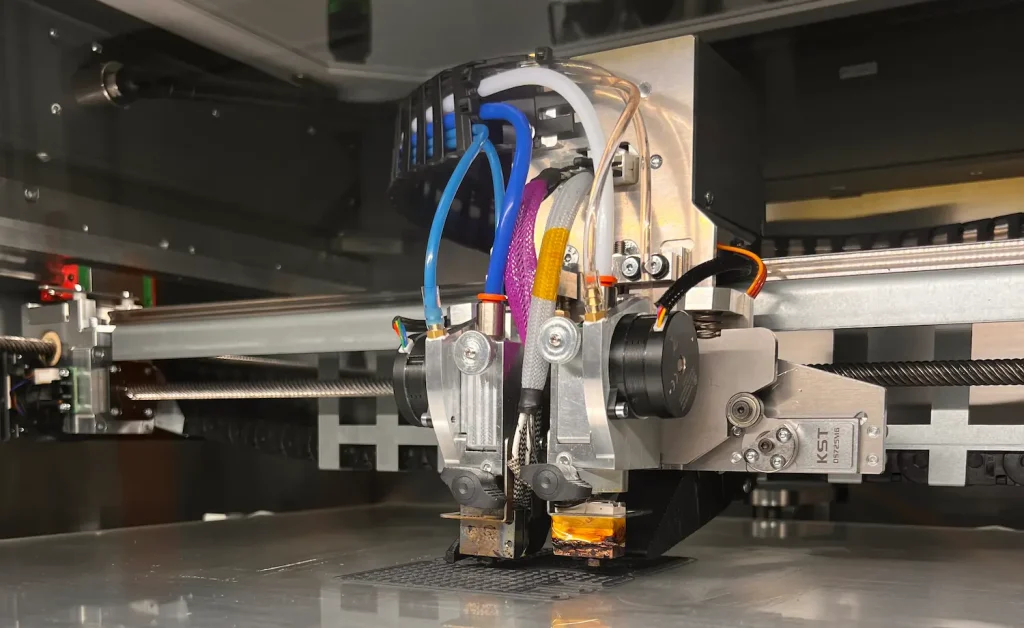
The Omni TECH+ combines a sheet-steel frame and enclosure, HIWIN linear guides, precision screw drives and protected cable routing. Each element addresses a different part of the production workflow.
| Hardware element | Function in the machine | Operational relevance |
| Sheet-steel frame and enclosure | Provides a rigid structural assembly | Supports stable operation in an industrial environment |
| HIWIN linear guides | Guides axis movement through steel rails and recirculating ball sliders | Supports controlled motion and repeatable positioning |
| Precision screw drives | Transmits axis motion | Avoids timing-belt tension adjustments in the screw-driven motion system |
| High-flex drag chains | Routes moving cables | Controls cable movement and reduces repeated bending stress |
| Fast-exchange subassemblies | Provides access to serviceable modules | Helps maintenance teams replace wear components efficiently |
The sheet-metal construction provides the structural foundation, while the guides and drives control movement. Protected cable routing supports repeated travel, and modular assemblies make service access part of the equipment design.
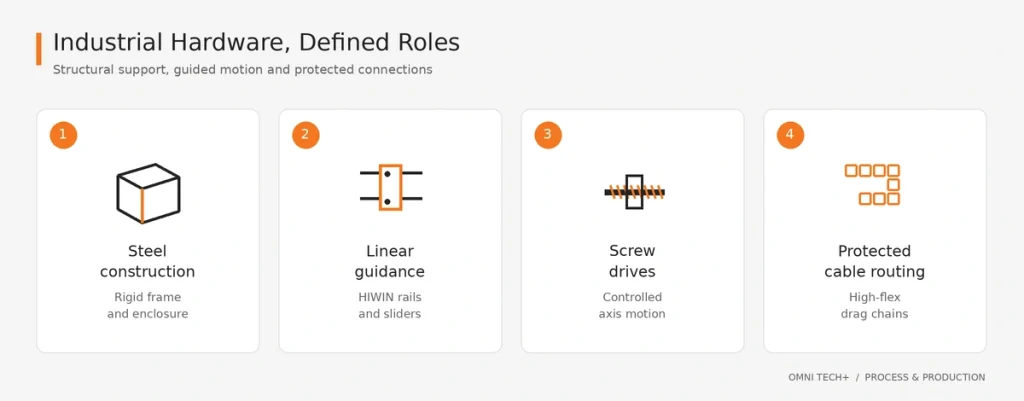
For maintenance managers, these features matter because equipment availability depends on both the frequency of intervention and the work required to complete it. Accessible components can reduce repair time without making maintenance itself unnecessary.
From calibration time to operating cost
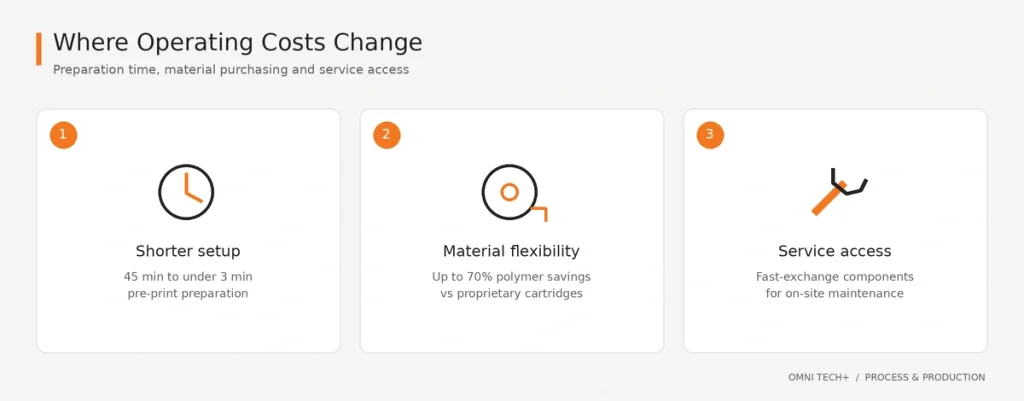
The financial impact of an industrial printer includes preparation labour, material expenditure, maintenance and interrupted production. The Omni TECH+ addresses these costs through automated setup, an open material system and serviceable hardware.
Reducing pre-print setup from 45 minutes to under 3 minutes
Automated surface mapping and XY prism alignment reduce pre-print setup from 45 minutes to under 3 minutes per job. The operational benefit is less time spent preparing the machine and more operator capacity available for material handling, part inspection and other production tasks.
For teams running frequent job changes, setup time accumulates across the production schedule. A repeatable automated routine also makes preparation easier to standardise between shifts.
Material savings of up to 70%
The open material platform allows teams to source engineering filaments from third-party suppliers and adjust process parameters to the application. Compared with proprietary cartridge systems, this can reduce raw polymer expenditure by up to 70%.
Material selection remains an engineering decision. Procurement cost, drying requirements, printing behaviour, support removal and the finished component’s performance all contribute to the cost of a usable part. An open platform gives teams more scope to evaluate those factors together.
Managing maintenance and recovery time
Industrial guides and screw drives support planned maintenance, while fast-exchange components help teams address wear without unnecessary disassembly. This makes serviceability relevant to total cost of ownership alongside purchase price and material cost.
Matching the machine to the application
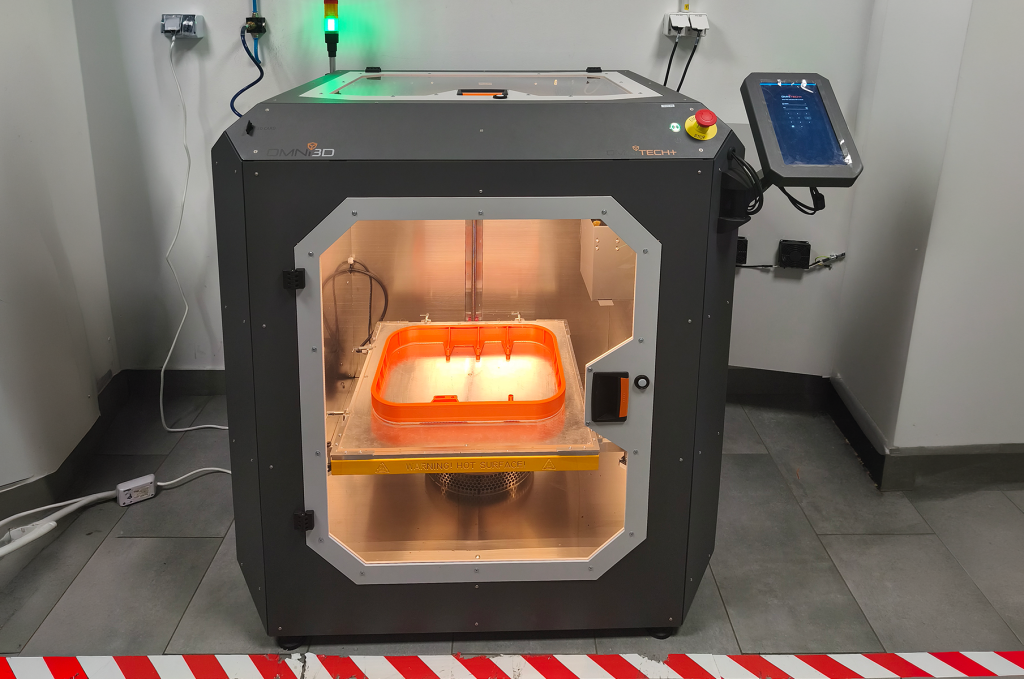
The Omni TECH+ has a build volume of 530 × 500 × 570 mm and an actively heated chamber reaching 80°C. The controlled environment supports the processing of engineering thermoplastics and helps manage thermal gradients during printing.
Material and support selection should follow the requirements of the individual application. A nozzle alignment routine establishes the spatial relationship between the tools; the material profile determines how each material is deposited. Both are necessary when combining a structural polymer with a separate support material.
Part orientation also remains important. The direction of loading, layer interfaces, support accessibility and dimensional requirements should be considered together when preparing the build. Automated calibration reduces setup work, while engineering preparation determines how the part is manufactured.
Practical questions for production and maintenance teams
When should operators run dual extruder calibration?
Run the alignment routine after changes that affect the relative nozzle positions, such as nozzle replacement or a change in nozzle diameter, and when moving between substantially different operating temperatures. Build-surface mapping and dual-nozzle alignment perform different functions and should be treated as separate parts of preparation.
What routine maintenance does the motion system require?
The maintenance routine includes cleaning and lubricating the HIWIN linear guides every 500 operating hours, cleaning the build surface and inspecting the extrusion drive components. Keeping the motion system and calibration reference clean supports consistent operation between scheduled interventions.
How does the printer respond to filament supply problems?
Filament monitoring helps identify interruptions in material delivery. The system combines runout detection with flow monitoring so that a supply problem can be addressed before the machine continues an otherwise unsuccessful build. This is particularly useful during long jobs when an operator is not continuously observing the extrusion process.
Can an internal maintenance team replace wear components?
Fast-exchange subassemblies and accessible connections allow trained maintenance teams to replace serviceable components on site. The aim is to shorten the path from identifying a worn component to restoring the machine to operation.
Build a more repeatable production workflow
The Omni TECH+ combines automatic nozzle alignment with industrial mechanics and material sourcing flexibility. The XY prism reduces manual calibration work, the motion system supports controlled positioning, and modular service access helps production teams manage maintenance.
For manufacturers evaluating dual-material printing, the relevant question is how these capabilities fit the full workflow: preparation, printing, inspection and repeat production.
Request an Omni TECH+ technical consultation to discuss your parts, material requirements and production schedule with Omni3D.




